






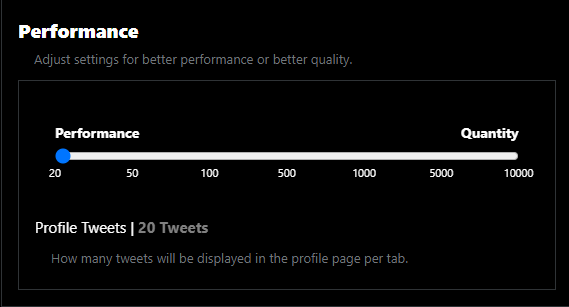
We have updated everyone's tweet displayers on profiles to only display 20 tweets on maximum per tab (tweets, media, likes). This is a measure we are taking as the profile page is starting to slow down due to the number of tweets certain users post. You can change how many tweets will be displayed for your preference at  / account ; however, expect slowdowns in profile pages that has a lot of tweets if you increase the quantity of tweets that get displayed. #v1.1.6
Last edited 10:36 PM · Jun 12, 2024 ·
Last edited 10:36 PM · Jun 12, 2024 ·
Terms of Service
Last TweetPoll Update: August 14, 2026 / 10:52:32am

Spoilers At the start of your spoiler, add a "/s" followed by your spoiler/s, and end with "!s" to close the spoilers.
Credits Text (Sub-text) At the start of your credits, add a "/creds" followed by your credit/s, and end with "!creds" to close the credits.
Center Text At the start of your text, add a "/center" followed by your text/s, and end with "!center" to close the center text tag.
Bold Text At the start of your text, add a "/b" followed by your text/s, and end with "!b" to close the bold text tag.
Italicize Text At the start of your text, add a "/i" followed by your text/s, and end with "!i" to close the italize text tag.
Horizontal Rule To add a horizontal rule on your post, simply add "/hr" to where you want to put a horizontal rule.
Colored Text There are three (3) different kinds of tags for coloring your text. you may use "/color(*)", "/hex(**)", or "/rgb(***,***,***)" and end with "!color", "!hex", or "!rgb" respectively.
Color examples:
* - (red), (green), (blue), (yellow)
** - (00acee), (ffffff), (123456), (ff0000)
*** - (0,0,0), (120, 140, 160), (255, 255, 255)